WatchfacesBrowse collection
← Back to collection
Live on Google Play · Pixel-art collection

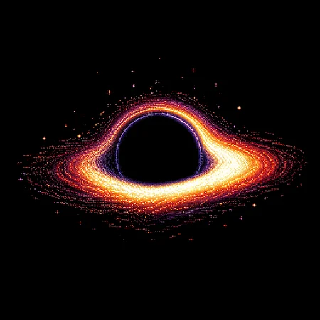
Deep Horizon

A black hole at the edge of sleep.

ColourHorizon
ThemeMinimal
ClockAnalogue
DisplayActive
ColourHorizonThe native amber accretion glow — the default.

Horizon · Minimal · Analogue · Off

Live motion

Actual on-watch animation · Horizon colourway

Settings

Colour
Theme
Clock
Battery

Every option here is a real editor setting — preview them all, then set yours from the watch.

Get it on Google Play —was A$2.99now A$1.99Launch sale

Device-only · no tracking · instant install

Deep Horizon feature preview

The little world

A slow pixel black hole turning in the dark, with a clock you can read at 3am.

Deep Horizon is a pixel-art watch face for Wear OS built around a slow-turning black hole in OLED black. Dress it your way: six colourways — including Redshift, an auto-hue that drifts through the spectrum across the day — a Minimal or Starfield theme, a digital, analogue, or hidden clock, and three pixel digit fonts. Switch on an optional battery arc along the bottom rim, and a quiet Always-On Display keeps it calm overnight.

Compatibility

For the watch on your wrist

Built for Wear OS 6 — Samsung Galaxy Watch on One UI 8 Watch and Google Pixel Watch updated to Wear OS 6. Its black-hole effects use the newest watch-face features, so earlier Wear OS versions and older Tizen-based Samsung watches aren't supported.

New to Wear OS? How to install a watch face.

Release

Project details

Status
Live on Google Play
Price
Was A$2.99now A$1.99Launch saleGrab it before it crosses the event horizon.
Package
com.pixelpond.watchface.deephorizon
Store
Google Play

Details

Small touches in the dark

Beyond the colour and clock, a few quiet extras: a battery arc on the rim, a gentle fold into ambient when the screen rests, and a colourway that never sits still.

Redshift auto-hue Deep Horizon style

Redshift auto-hue

A colourway with no fixed colour — the tint drifts slowly through the spectrum across the day.

Optional battery arc Deep Horizon style

Optional battery arc

Switch it on and a thin arc traces your charge along the bottom rim, warming to a warning tint when it runs low.

Orbit mode Deep Horizon style

Orbit mode

Swap the digital clock for a single comet hand that orbits the hole.

Collapse to ambient Deep Horizon style

Collapse to ambient

When the screen rests, the scene gently folds down into a dim, still Always-On view.

Controls

A few taps, no dashboard

Deep Horizon stays quiet on purpose — the only things you can tap are the everyday Wear OS shortcuts, nothing more.

  • AlarmTap target

    Tap to jump straight to your alarms.

  • BatteryStatus

    A quick way to check the charge when you want it.

  • SettingsShortcut

    Opens the face settings to change the look.

Privacy

Stays on your watch

Deep Horizon runs entirely on the watch. Nothing it shows is collected, stored, or sent anywhere — not to Pixelpond, not to anyone.

  • No account
  • No analytics
  • No ads or SDKs
  • No network access
Full privacy policy

Privacy Policy - Deep Horizon: Pixel Black Hole

Effective date: 2026-06-08

This Privacy Policy applies to 'Deep Horizon: Pixel Black Hole' (package name: 'com.pixelpond.watchface.deephorizon'), developed by Pixelpond. This watch face is a local, device-only application. It does not collect, store, transmit, or share any personal user data, usage analytics, location data, sensor data, or device identifiers with the developer or any third parties.

The watch face reads the following information only to render itself:

  • Current system time (local clock) to display the custom digital or analogue clock.
  • Device battery level to draw the optional battery arc and its low-battery warning tint, only when you switch it on.
  • Your configuration selections (colourway, theme, clock mode, and digit font) to render your chosen look.
  • Active and ambient state transitions of your Wear OS device to switch between normal and Always-On Display (AOD) modes.

Because this watch face is built using the declarative Watch Face Format, it contains no executable code (android:hasCode="false") and lacks network access permissions. All rendering is handled locally by the Wear OS operating system. This application does not require an internet connection and contains no advertisements, in-app purchases, analytics frameworks, crash reporting libraries, or third-party SDKs.

If you have questions, contact: support@pixelpond.au

This policy may be updated. The latest version will live at the URL provided in the Google Play listing.

Catalogue

More faces

All faces →